सत्यापित रेलवे स्टेशन QR

Chintakani Station UTS QR Code

Chintakani, Telangana

स्टेशन कोड: CKN

स्टेशन जानकारी

Chintakani station information for UTS QR booking
लोकेशन Chintakani, Telangana
रेलवे जोन Railway zone being verified
Station Code CKN

कम्यूटर गाइड

Chintakani स्टेशन QR कोड गाइड

Chintakani स्टेशन के लिए यह UTS और RailOne QR पेज यात्रियों को अनारक्षित टिकट, प्लेटफॉर्म टिकट और दैनिक यात्रा की बुकिंग जल्दी शुरू करने में मदद करता है। QR कोड स्कैन करने से ऐप में बोर्डिंग स्टेशन अपने आप भर जाता है, इसलिए स्टेशन पर नाम खोजने या टिकट खिड़की की कतार में लगने की जरूरत कम होती है।

स्कैन करने से पहले ध्यान रखें

QR टिकटिंग का उपयोग स्टेशन के आसपास और आधिकारिक UTS या RailOne ऐप में ही करें। अंतिम टिकट ऐप के अंदर दिखाएं; स्क्रीनशॉट या एडिटेड फोटो को वैध टिकट न मानें।

Platform reminder Scan this QR only when you are physically at Chintakani station. The official RailOne or UTS app may check your location before it allows QR-based booking.
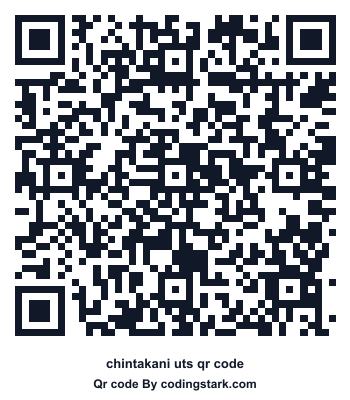
QR कोड डाउनलोड और शेयर करें

Chintakani UTS QR कोड

इस QR को UTS या RailOne ऐप में स्कैन करके स्टेशन टिकट बुकिंग शुरू करें।

PNG डाउनलोड करें

Telangana

Railway network near Chintakani

Telangana railway stations are listed here for commuters who need the correct UTS or RailOne QR page before starting an unreserved ticket booking inside the official app.

Station code CKN identifies Chintakani in Indian Railways systems. This page keeps the station name, state, zone, and QR image together so commuters can avoid choosing a similarly named station by mistake.

Booking guide

How to book from Chintakani

  1. Open the official app. Use RailOne or UTS, sign in, and keep GPS enabled before you begin.
  2. Choose QR booking. Open the QR scan option instead of typing the departure station manually.
  3. Scan this station QR. The app should select Chintakani as the starting station when QR booking is available there.
  4. Finish inside the official app. Pick destination, passenger count, class, and payment method. The valid ticket is generated only after payment.

किस टिकट के लिए यह QR मदद करता है?

  • अनारक्षित यात्रा टिकट के लिए बोर्डिंग स्टेशन जल्दी भरना।
  • प्लेटफॉर्म टिकट या लोकल/suburban यात्रा शुरू करना, जहां सुविधा उपलब्ध है।
  • दैनिक यात्रियों के लिए स्टेशन QR को सेव या प्रिंट करके रखना।

RailOne, UTS और टिकट काउंटर तुलना

विकल्प उपयोग ध्यान दें
RailOne नया संयुक्त रेलवे ऐप अनुभव QR स्कैन से स्टेशन जल्दी भरता है
UTS अनारक्षित और प्लेटफॉर्म टिकट आधिकारिक ऐप में टिकट दिखाएं
काउंटर जब फोन/नेटवर्क उपलब्ध न हो कतार और नकद/भुगतान समय लग सकता है

अक्सर पूछे जाने वाले सवाल

Chintakani QR कोड किस ऐप में स्कैन करें?

इसे आधिकारिक UTS या RailOne ऐप के QR Booking या scan विकल्प में स्कैन करें।

क्या QR कोड टिकट है?

नहीं। QR कोड स्टेशन पहचानने में मदद करता है; वैध टिकट ऐप में भुगतान के बाद बनता है।

क्या इस पेज को शेयर कर सकते हैं?

हां, स्टेशन पेज शेयर करें ताकि दूसरा यात्री वही QR और बुकिंग निर्देश खोल सके।

Telangana

इसी राज्य के सुझाए गए QR

राज्य पेज देखें