Verified railway station QR

Rajendra Pul Station UTS QR Code

Rajendra Pul, Bihar

Station code: RJO

Station information

Rajendra Pul station information for UTS QR booking
Location Rajendra Pul, Bihar
Railway zone Railway zone being verified
Station Code RJO

Commuter guide

Rajendra Pul station QR code guide

Use this UTS and RailOne QR page for Rajendra Pul station to start unreserved ticket booking faster. Scanning the station QR code helps the app identify your boarding station, reducing station-name search friction and ticket-counter waiting time.

Before you scan

Use QR ticketing near the station and inside the official UTS or RailOne app. Show the final ticket inside the app during inspection; screenshots or edited photos should not be treated as valid tickets.

Platform reminder Scan this QR only when you are physically at Rajendra Pul station. The official RailOne or UTS app may check your location before it allows QR-based booking.
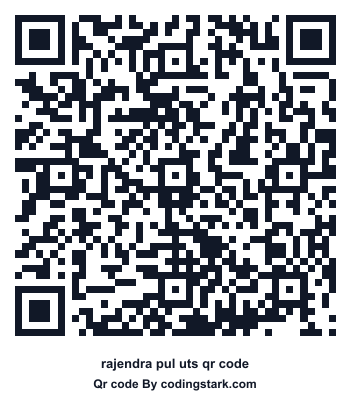
Download and share QR code

Rajendra Pul UTS QR Code

Scan this QR code in the UTS or RailOne app to start station ticket booking.

Download PNG

Bihar

Railway network near Rajendra Pul

Bihar railway stations are listed here for commuters who need the correct UTS or RailOne QR page before starting an unreserved ticket booking inside the official app.

Station code RJO identifies Rajendra Pul in Indian Railways systems. This page keeps the station name, state, zone, and QR image together so commuters can avoid choosing a similarly named station by mistake.

Booking guide

How to book from Rajendra Pul

  1. Open the official app. Use RailOne or UTS, sign in, and keep GPS enabled before you begin.
  2. Choose QR booking. Open the QR scan option instead of typing the departure station manually.
  3. Scan this station QR. The app should select Rajendra Pul as the starting station when QR booking is available there.
  4. Finish inside the official app. Pick destination, passenger count, class, and payment method. The valid ticket is generated only after payment.

What this QR can help with

  • Starting unreserved journey-ticket booking with the boarding station prefilled.
  • Platform-ticket or local/suburban booking flows where the station supports QR booking.
  • Saving or printing a station QR reference for daily commute use.

RailOne, UTS, and counter comparison

Option Best use Note
RailOne New unified railway app experience QR scan can prefill the station flow
UTS Unreserved and platform tickets Show tickets inside the official app
Counter When phone or network is unavailable Queue and payment time can be slower

Frequently asked questions

Where should I scan the Rajendra Pul QR code?

Scan it inside the official UTS or RailOne app, usually from the QR Booking or scan option.

Is the QR code itself a train ticket?

No. The QR helps identify the station. Your valid ticket is generated only after booking and payment inside the official app.

Can I share this station QR page?

Yes. Share the station page so another commuter can open the same QR and booking guide.

Bihar

Suggested QR codes from this state

View state page